BLOG POST

How to Automate Your Law Firm: Workflows That Save Hours (2026)

July 11, 2026

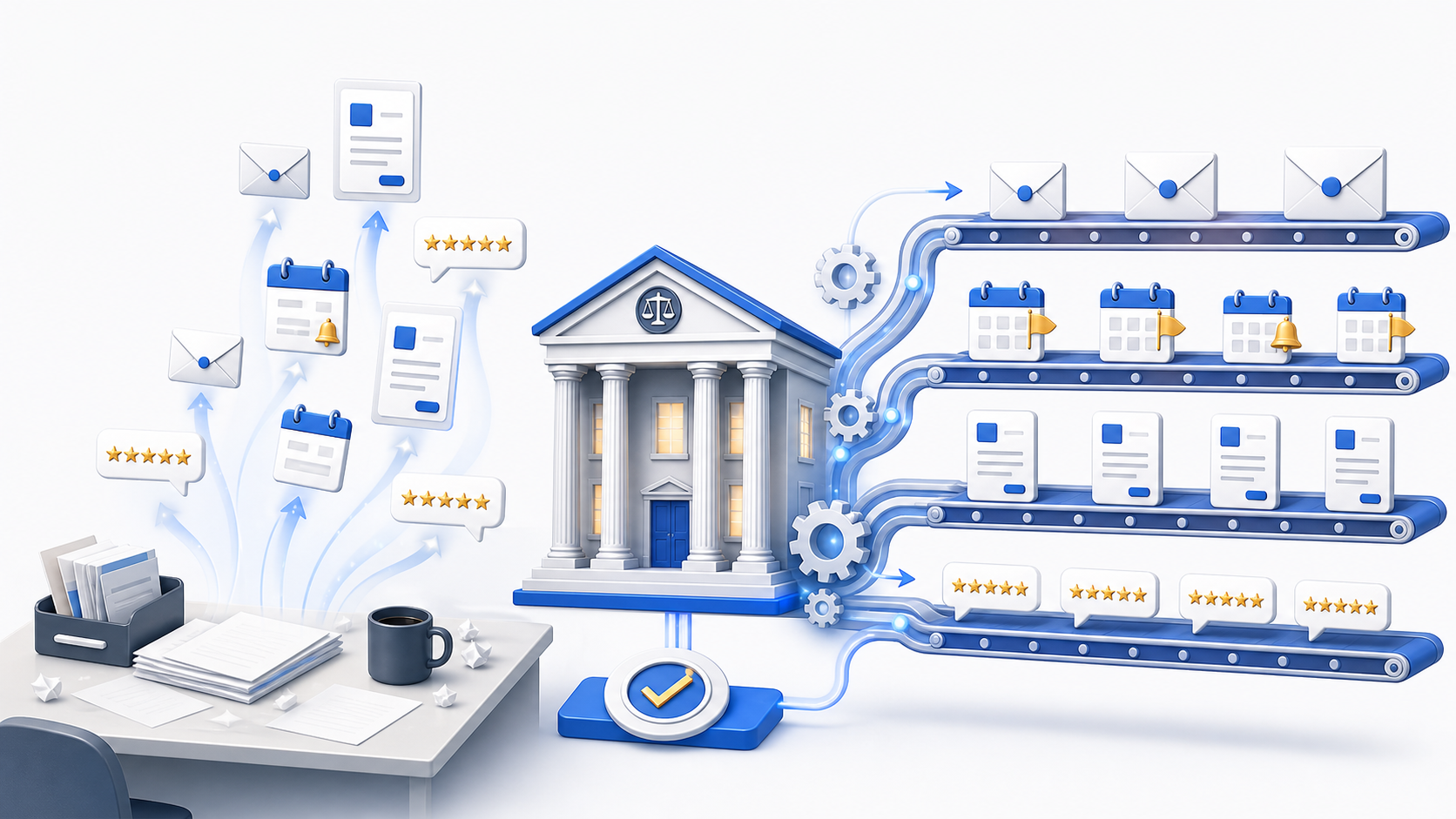
Every hour an attorney or paralegal spends on repetitive administrative work is an hour not spent on billable, high-value legal work - or on having a life outside the firm. The good news: most of that repetitive work can be automated in 2026 with tools the firm likely already owns. This guide covers what to automate, how to do it, and the single automation with the highest return on the least effort.

What to Automate (and What Not To)

The rule of thumb: automate tasks that are repetitive and rules-based; keep human judgment for everything that requires it. The highest-value targets:

  • Client intake & lead follow-up. Auto-capture inquiries, send instant responses, and route leads - winning the speed-to-lead race without manual effort.
  • Document generation. Turn intake data into first-draft documents from templates instead of retyping.
  • Deadline & calendar management. Auto-calculate court deadlines and statutes with a rules engine, and sync reminders.
  • Scheduling & reminders. Let clients book consultations online; send automatic appointment reminders to cut no-shows.
  • Billing & payments. Automate invoicing, payment reminders, and recurring billing.
  • Review requests. Automatically ask for a review when a matter closes (more below - this is the highest-ROI automation).

What not to automate: legal analysis, strategy, advice, and anything requiring professional judgment. Automation handles the mechanics; the lawyer stays responsible for the substance.

How to Actually Set It Up

Automation in a law firm generally runs through three connected layers:

  1. Your practice management platform is the hub. Clio, MyCase, Smokeball, or PracticePanther handle intake, documents, deadlines, and billing automation natively.
  2. Specialized tools layer on: document automation (HotDocs, Gavel - see our legal automation software guide), online scheduling, and a review tool.
  3. Zapier connects them, so an event in one tool (a matter closing, a form submitted) triggers an action in another - no manual re-entry, no dropped handoffs.

Start small: pick one painful, repetitive task, automate it, confirm it works, then move to the next. You don't need to automate everything at once.

The Highest-ROI Automation: Review Requests

If you do just one automation, make it this one - because it's nearly effortless to set up and it directly grows your firm. Every other automation saves time; review automation makes the asset that brings in new clients.

Here's the logic. Your practice management platform already knows the exact moment each matter closes - the peak of client gratitude and the ideal time to ask for a review. Left alone, that moment passes unused, every single time. Connect your platform to a review tool through Zapier, and a closed matter automatically triggers a bar-compliant SMS or email review request to the former client. Set it up once; it runs forever.

The payoff compounds. Those reviews are among the strongest factors in ranking in Google's local 3-pack and the first thing prospects read before calling - so this one automation feeds your entire lead pipeline while you do nothing. (See how to get more Google reviews for your law firm.) It's the rare automation that pays you back in new cases, not just saved minutes.

A compliance note specific to law firms: automated client communications and review requests are governed by your state bar and ABA Model Rule 7.1. Ask former clients only, never offer anything of value in exchange (Rule 7.2(b)), never script the review, and respect opt-out/consent rules for automated SMS. A review tool built for law firms keeps the timing, consent, and templates inside these lines automatically - which is exactly why automating with a purpose-built tool beats a generic one.

FAQ

The most common questions firms ask about automation.
What can you automate in a law firm? +
The highest-value targets are repetitive, rules-based tasks: client intake and lead follow-up, document generation from templates, deadline and calendar management, appointment scheduling and reminders, billing and payment reminders, and review requests after a matter closes. Automating these frees attorney and staff time for actual legal work without sacrificing quality.
What tools do law firms use to automate workflows? +
Most automation runs through a practice management platform (Clio, MyCase, Smokeball, PracticePanther) for intake, documents, billing, and deadlines, often connected to other tools via Zapier. Document automation tools (HotDocs, Gavel) handle drafting, and a review tool automates post-matter review requests. The key is connecting these so data flows without re-entry.
Is law firm automation compliant with bar rules? +
Yes, when done carefully. Automation handles the mechanics - sending, scheduling, generating - while the attorney remains responsible for the work and for supervising the system. Automated client communications and review requests must still follow advertising and solicitation rules (ABA Model Rule 7.1 and your state bar), so use tools that build compliance in.
What's the easiest law firm automation to start with? +
Automated review requests are one of the easiest wins: connect your practice platform to a review tool so a closed matter automatically triggers a bar-compliant request. It takes minutes to set up, runs forever, and directly grows the reviews that drive new clients - a high-return, low-effort first automation.

Automating your law firm isn't about replacing lawyers - it's about removing the repetitive work that buries them, one workflow at a time. Start with the highest-ROI automation: review requests that run themselves, save your team the awkward ask, and grow the reputation that brings in your next client.

Ready to automate the workflow that grows your firm? Start a free 14-day trial of TrueReview - automated, bar-compliant SMS and email review requests that connect to Clio, MyCase, Smokeball, and more via Zapier, plus embeddable Google review widgets for your firm's site. See pricing ->

See Requests In Action!

We'll text you an example of one of the contact types your customers see when you request reviews.

Demo sent!
Please add a valid phone number.

Msg & data rates may apply. US & Canada only. By submitting your number, you agree to receive SMS messages from TrueReview. Text STOP to opt out.


