Stay on top of your requests with customer insights
Receive detailed status updates whenever customers interact with your requests. Identify positive or negative experiences, survey submissions, and direct feedback.


Receive detailed status updates whenever customers interact with your requests. Identify positive or negative experiences, survey submissions, and direct feedback.
Check the status of your review requests whenever customers interact with them.

View customer feedback right on your dashboard and see if they would like to be contacted.

Find customers based on specific interactions, such as unhappy customers, those who want to be contacted, or those who have provided feedback.

Use filters to find specific groups of customers and take bulk actions, such as resending requests to customers who haven't responded, stopping active campaigns, and more.

Send up to 250 requests by email absolutely free during your free 14-day trial (SMS on Small Business & Premium trials)!
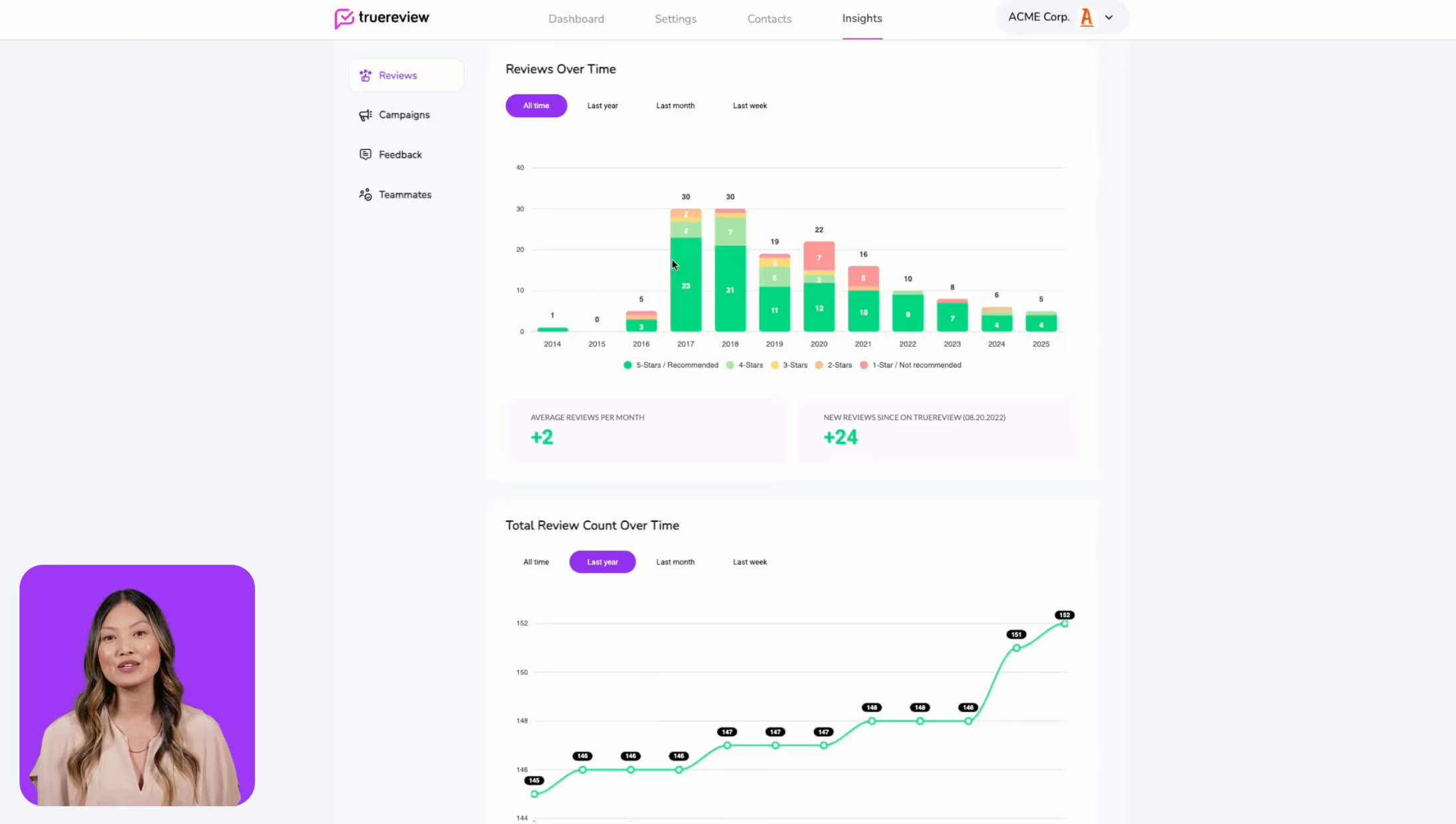
See how TrueReview leverages AI to simplify review and customer feedback management.
Watch Demo VideoTry TrueReview free for 14 days and send up to 250 review requests by email (SMS included on Small Business and Premium trials).


Your Google and Facebook reviews are all in one place - and you can respond to them directly from TrueReview.

Increase customer engagement by sending SMS and emails automatically based on how they interact with your requests.

Increase customer engagement by sending SMS and emails automatically based on how they interact with your requests.

Choose the right flow for the right group. Every customer gets the same review invite, plus an easy way to send you private feedback.

With the help of a user-friendly form, you can give your customers the option of quickly submitting their direct feedback.

An in-depth understanding of customer satisfaction, engagement, and valuable data that can be used to improve your business.

In just a few seconds, you can import and send bulk review requests to all of your customers through a CSV.

Choose from a list of review websites like Google, Facebook, and many others, or add a custom link to a website where you want your customers to leave reviews.

Send review requests outside of TrueReview with generic shareable links. Use them on QR codes or NFC cards while utilizing the different contact types TrueReview offers.

Increase customer engagement by creating additional follow-up emails after the initial contact.

Personalize your review requests with your company logo, brand colors, and text to make it more recognizable to your customers.

With custom surveys, you can learn and improve your business. You can optionally ask for a review or feedback based on the survey results.

Automate review requests to your customers by connecting your CRM with TrueReview through Zapier.

Multiple businesses or locations can be accessed with one account. Send personalized review requests to the right customers.

Let your customers find your business information and reviews on your connected websites like Google, Facebook or TrueReview, all in one place.

Receive detailed status updates whenever customers interact with your requests. Identify positive or negative experiences, survey submissions, and direct feedback.

Invite teammates as admins, or restrict their access to specific locations and businesses.

Send review requests outside of TrueReview with generic shareable links. Use them on QR codes or NFC cards while utilizing the different contact types TrueReview offers.