BLOG POST
This is written for people building integrations rather than evaluating software. It covers the GoHighLevel API v2, the no-code routes through Zapier and Make, and the patterns that hold up in production.
Use v2. API 1.0 has reached end of support. Existing integrations may still function but will not receive fixes. All new work should target v2.
Two authentication paths.
Private Integration Tokens for building against one account or for internal tooling. Simpler — no OAuth dance, a long-lived token.
OAuth 2.0 when many different customers will connect their own GoHighLevel accounts to your app. Required for anything distributed through the marketplace.
Access differs by plan. Basic API access is included on Starter and Unlimited. Advanced API access, which unlocks agency-level API keys, requires Agency Pro. On lower tiers you work with location-level keys, meaning you authenticate per sub-account rather than once at the agency level. This is the detail that most often derails multi-tenant plans — check it before designing.
Two limits apply to the public v2 APIs using OAuth:
The per-resource scoping is the useful part: an app installed on two sub-accounts gets the full allowance against each independently, so limits scale with your client count rather than being shared across it.
Every response carries headers you should log:
X-RateLimit-Limit-Daily — your daily ceilingX-RateLimit-Daily-Remaining — requests left todayX-RateLimit-Max — ceiling in the current intervalX-RateLimit-Remaining — requests left in the current intervalX-RateLimit-Interval-Milliseconds — the burst windowStandard practice applies: exponential backoff on 429s, stagger bulk operations rather than firing them simultaneously, use webhooks instead of polling, and design requests to be idempotent so retries do not create duplicate contacts.
There are two ways to trigger a review request from an external system, and one of them is clearly better.
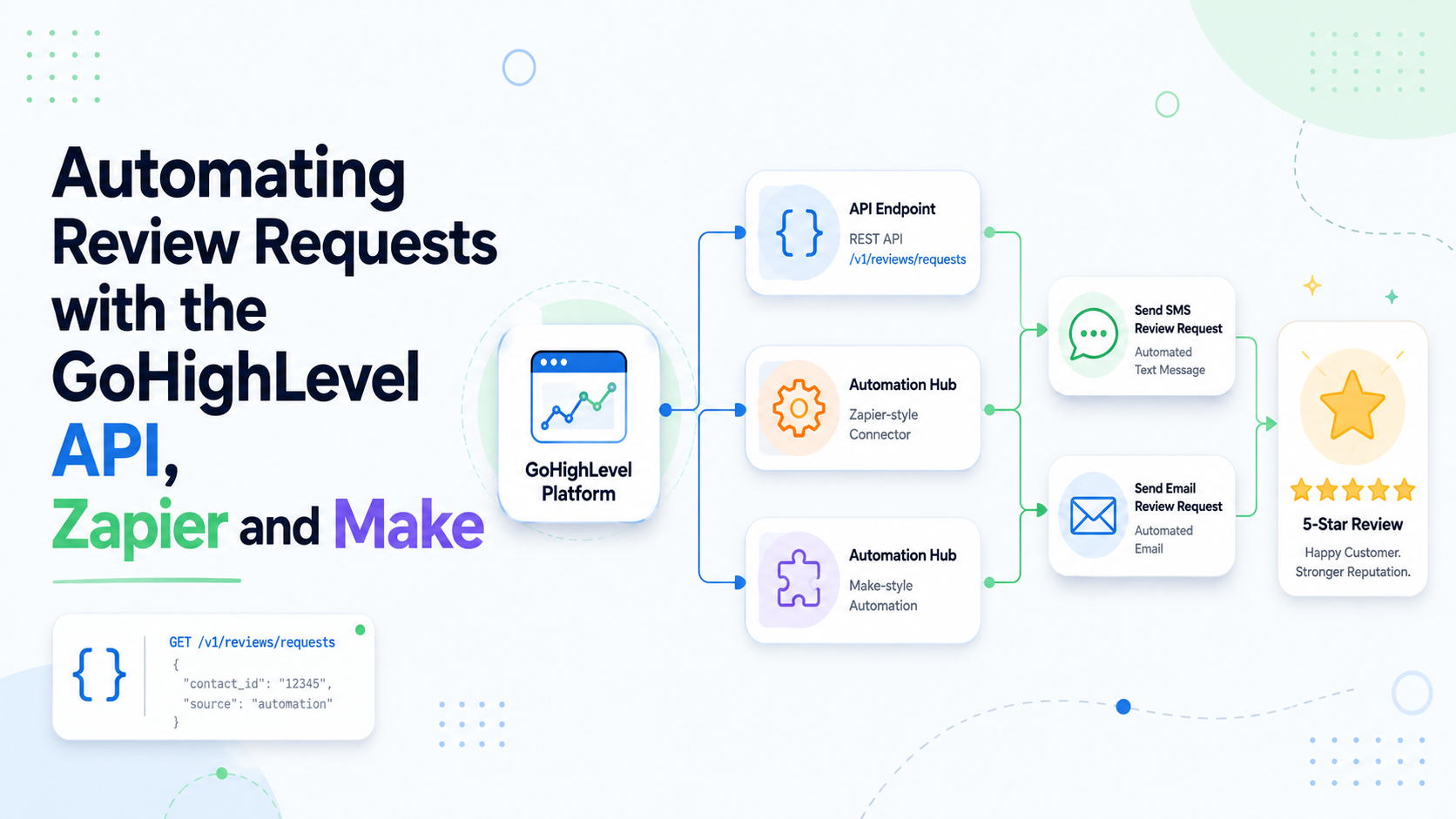
Recommended: get the event in, let the workflow send. Your external system pushes the contact and a completion signal into GoHighLevel via the API or an inbound webhook. A native workflow picks it up and fires the Send Review Request action.
This is more reliable because the review request stays inside GoHighLevel's own subsystem — it appears in the Reputation tab with proper status tracking, uses your configured templates, and honours the sub-account settings. It also means non-technical people can adjust the timing and copy without touching your integration.
Not recommended: sending the request yourself. You could send your own SMS or email containing a review link. It will work, and requests sent this way do not register as tracked review requests in the Reputation dashboard, so you lose the reporting. Avoid unless you have a specific reason.
Inbound webhook trigger. The cleanest option. Create a workflow with an Inbound Webhook trigger, POST your completion event to the URL it generates, map the fields, add a wait step and the review request action. No API authentication needed for the trigger itself.
Tag-based triggering. The most common pattern in practice. Your integration adds a tag such as job-complete to the contact via the Contacts API; a workflow triggers on that tag. Simple and readable, with one caveat worth knowing: if a tag is already present, re-adding it may not fire the trigger. For repeat customers, either remove the tag at the end of the workflow or use uniquely-suffixed tags.
Opportunity stage change. Move the opportunity to a “Complete” stage via the Opportunities API and trigger on the stage change. Good when you are already syncing pipeline state.
For most teams these are the right answer, and building against the raw API is premature optimisation.
Zapier has the broadest app coverage and the shallowest learning curve. Typical shape: trigger on a job completion in your field service platform or POS, find-or-create the contact in GoHighLevel, add the completion tag. Watch the task cost — a multi-step Zap running on every job adds up at volume.
Make (formerly Integromat) is better value at volume and considerably more capable for branching logic, error handling and iterating over arrays. Steeper learning curve, cheaper per operation.
n8n is worth mentioning for teams that want self-hosting and no per-operation billing. More setup, no usage ceiling.
Whichever you use, the same architecture applies: the automation platform gets data into GoHighLevel, and GoHighLevel does the sending.
Duplicate contacts. The most common production problem. Always search before creating, and decide deliberately whether email or phone is your matching key. A contact created twice means a review request sent twice.
Custom field IDs, not names. Custom fields are addressed by ID, and those IDs differ per sub-account. Anything multi-tenant needs to resolve them at runtime rather than hard-coding.
Phone formatting. Normalise to E.164 before sending. Badly formatted numbers produce Failed review requests, and you are charged for messages where a delivery attempt was made regardless of outcome.
The review requests toggle. Review requests must be enabled in sub-account settings. Your API integration can be flawless and nothing will send if this is off.
Timezones. Wait steps use the sub-account timezone. Get it wrong and requests land at 3am.
Test with real contacts. Test contacts with fake numbers pass through your integration and fail at the send step, which is precisely the part you wanted to verify.

If you are evaluating options at the integration layer, TrueReview Premium ships an API plus native integrations with Zapier, Make, Integrately and Keragon, along with direct connections to ServiceTitan, Jobber, Housecall Pro, Square and Acuity. Same architectural pattern, different endpoint.
Worth flagging for agencies, because it solves a real recurring cost.
GoHighLevel has no cross-sub-account reputation roll-up, so monthly client reporting usually means opening each account and transcribing numbers by hand. At twenty clients that is several hours a month of low-value work.
The API is the fix. The rate limits are generous enough to pull reputation data across every sub-account into a spreadsheet or reporting tool on a schedule. If you are on Starter or Unlimited you will be iterating with location-level keys per sub-account; agency-level keys on Agency Pro make this considerably tidier. Our post on managing client reviews at scale covers the operational case for doing this.
If you have never built against GoHighLevel: start with a Zapier integration using the tag-based pattern, verify end to end with a real contact, then move to Make or the raw API once you understand the shape and need the volume or the control.
If you are building for distribution: use OAuth 2.0, register through the developer marketplace, log the rate limit headers from day one, and confirm which API access tier your target customers are actually on before you design around agency-level keys.
The developer documentation lives at developers.gohighlevel.com, and the native side of the setup is covered in our guide to review request automation in GoHighLevel.





