BLOG POST
When a policy-violating Google review hits your business profile, two things happen at once. The clock starts on the damage it does to your reputation — and the clock starts on your window to report it before it gets buried under newer reviews and forgotten.
Most business owners don't catch these reviews in time. The ones who do often report them under the wrong category, which is why Google quietly dismisses so many removal requests. Today we're launching a feature built specifically to solve both problems.
It's called Review Radar™, and it's now available in TrueReview's Small Business Premium plan.
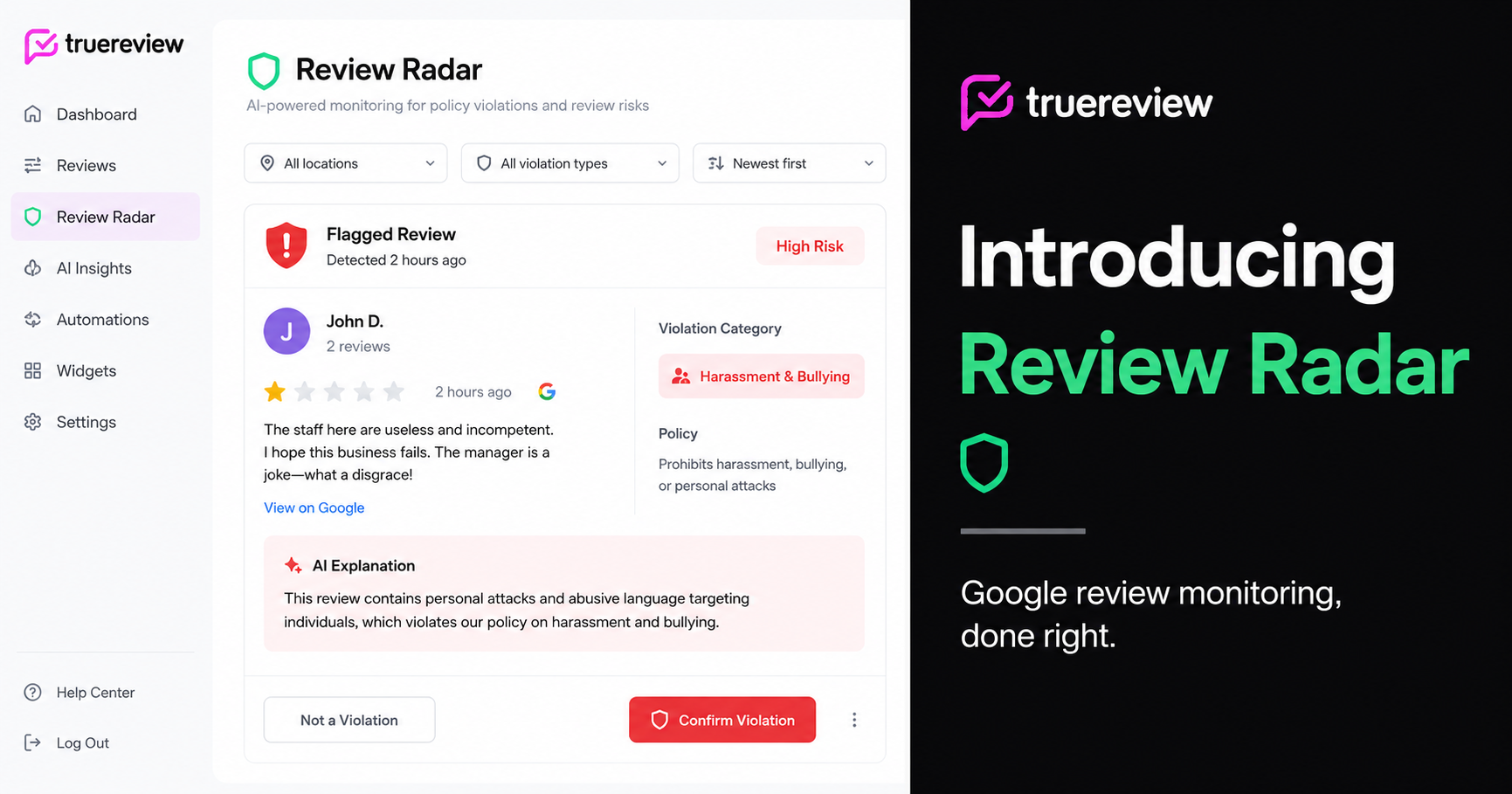
Review Radar is an AI-powered monitor that scans every incoming Google review on your connected Business Profile, identifies language that may violate Google's content policies, and tells you exactly which policy category to report it under. It runs automatically in the background — no setup, no manual review, no guessing.
When a potential violation is detected, three things happen:
You can also enable email alerts so you're notified the moment Review Radar catches a flagged review, which means you can act before the review has time to sit on your profile and influence customers.
There's a category of "review removal" tools floating around right now that promise to report policy violations to Google automatically on your behalf. We want to be direct about why TrueReview doesn't work that way.
Google does not allow third-party apps to submit review reports programmatically. The tools that claim to do this are almost always running browser automation bots that mimic a human clicking through Google's interface. That practice violates Google's Terms of Service, and businesses caught using it can have their Business Profile suspended.
Review Radar never submits anything to Google on your behalf. We identify the violation, surface the right reporting category, and take you directly to Google to file the report yourself. The report always comes from you — which is exactly what Google wants to see.
This isn't a limitation. It's the only sustainable way to do this.
Here's what most business owners don't realize about disputing Google reviews: the single biggest factor in whether Google acts is whether you report under the correct policy category.
Reports filed under the wrong category get dismissed routinely. A review that's clearly bullying but reported as "spam" will often be left up. A review from a competitor that's reported as "off-topic" instead of "conflict of interest" will often stay live. Google's enforcement is category-specific, and the automated first pass on your report is looking for the language and pattern that matches the category you chose.
Picking the right one is harder than it sounds. Google's policy categories aren't always intuitive, some of the real violations don't appear in the initial dropdown at all, and the difference between "discrimination" and "harassment" can come down to how a single sentence is phrased.
Review Radar does this work for you. The AI reads the review, identifies what policy is likely being broken, and recommends the category before you submit. You're not guessing, and you're not wasting one of your reports on the wrong reason.
Inside TrueReview, you can mark any reported review as "Reported," which moves it into your Reported tab so you can track which reviews are in Google's queue. For the underlying mechanics of what Google will and won't remove, our complete 2026 guide to removing Google reviews from your business walks through every policy category, the reporting tool, and the appeal process.
Review Radar then continues to monitor those reviews. If Google removes a reported review, it automatically moves to the Removed tab in your Review Radar dashboard — giving you a clean record of every review you've successfully had taken down. No checking back manually, no wondering whether the report went through.
For business owners managing multiple locations, this tracking matters. A single location might have three or four reported reviews in flight at any given time. Review Radar keeps the lifecycle organized so nothing falls through the cracks.
Review Radar won't flag a review just because it's negative. A one-star review from a real customer who had a bad experience is not a policy violation — it's feedback, and Google won't remove it no matter how you report it. Review Radar only flags reviews that contain language potentially breaking Google's content policies. Legitimate negative reviews stay where they are.
No tool — including Review Radar — can guarantee removal. Only Google decides. What Review Radar does is significantly improve your odds by making sure the reviews you do report are reported correctly, on the right category, with a clear understanding of why they violate policy.
If you have a Google Business Profile connected to TrueReview, you should turn on Review Radar. There's no extra cost, no setup, and it starts monitoring the moment you enable the toggle. Service businesses, healthcare practices, law firms, restaurants, property managers — anyone whose business is influenced by their star rating benefits from catching policy-violating reviews early.
You can enable Review Radar from your dashboard or from the Insights page. Once it's on, it runs in the background and surfaces flagged reviews as they come in.
Review Radar is included in TrueReview's Small Business Premium plan. If you're already on Small Business Premium, you can turn it on right now. If you're on a different plan, you can upgrade from your account settings to get access. And if you're not on TrueReview yet, you can start a free 14-day trial and have Review Radar running today.





