BLOG POST
Most local businesses know they should be asking for Google reviews. The part that breaks down is the actual asking — owners default to whichever method feels easiest, do it inconsistently, and end up with a fraction of the reviews they could have collected.
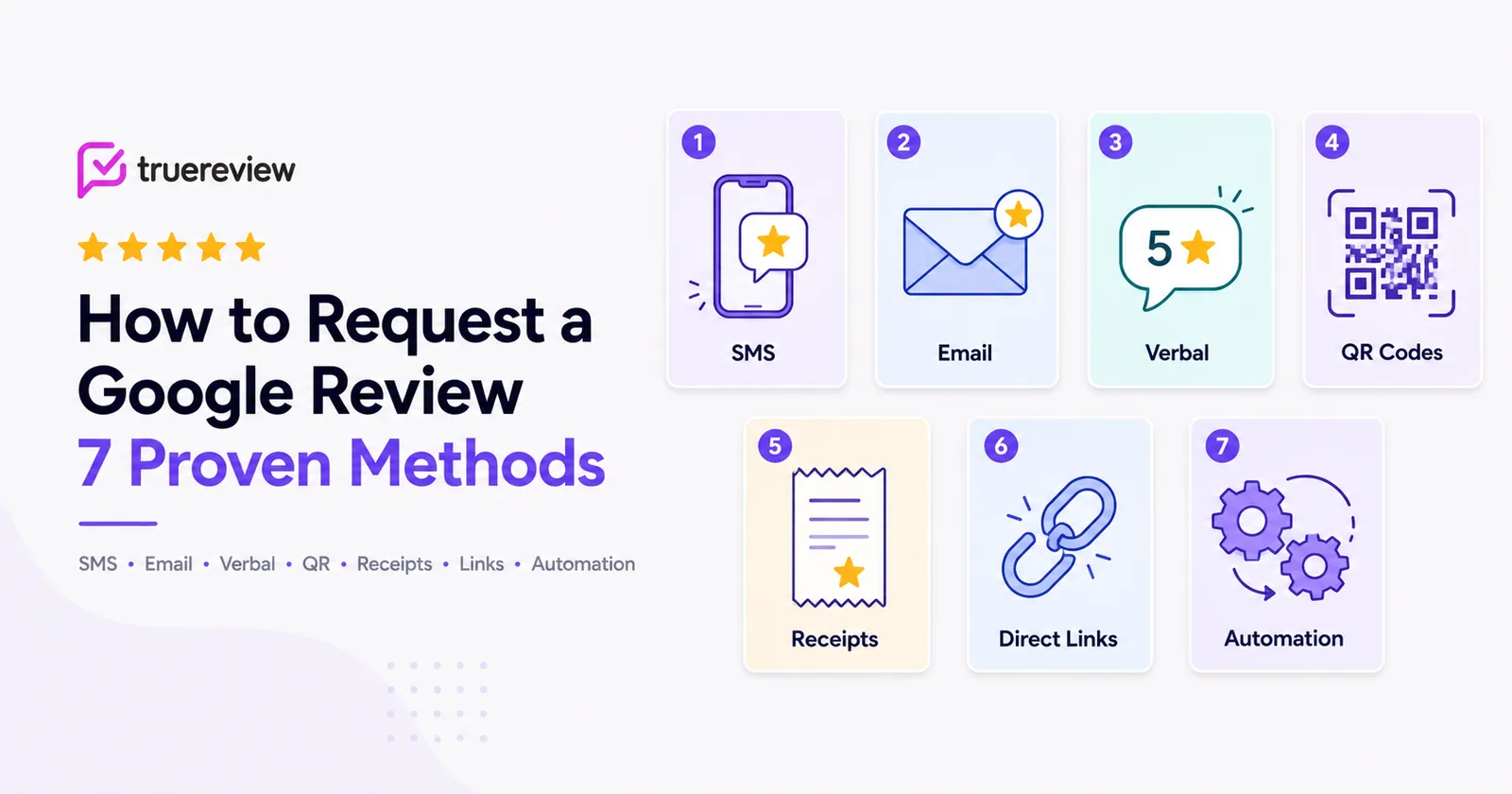
The fix isn't picking the best method. It's understanding that there are seven legitimate methods, each with different conversion rates, different costs, and different contexts where they shine — and using more than one of them in combination.
This guide walks through all seven, with examples of each, and shows you which method to deploy in which situation. By the end, you'll know exactly how to build a review request system that catches every customer who'd be willing to leave a review, instead of relying on the few who happen to remember on their own.
Before the methods themselves, a quick definitional point. A Google review request is any message, prompt, or interaction that asks a satisfied customer to leave a review on your Google Business Profile. The form varies — text message, email, verbal ask at checkout, a QR code on a receipt — but the goal is the same: get the customer from "I had a good experience" to "I left a 5-star Google review" with as little friction as possible.
The key word is friction. Every step between your customer and the published review is where you lose people. The methods that work best are the ones that minimize the number of taps, clicks, or decisions between "I want to write a review" and the customer actually doing it.
A few principles that apply across all seven methods:
Use a direct review link, not a search. Sending customers to "search for our business on Google and leave a review" loses 60-70% of them. A direct link to your review page — the URL with g.page/r/... or your custom Google review short link — gets one tap on mobile and one click on desktop.
Ask within 24 hours of the experience. Conversion rates drop sharply after the first day. After a week, most customers have moved on mentally and won't act on a request even if they would have happily left a review the day of.
Send one polite reminder if they don't respond. A second message 3-5 days later roughly doubles total response rates. After two messages, stop — anything more reads as nagging.
Make every request explicit. "Would you mind leaving us a Google review?" works. "We value your feedback" doesn't. Tell people exactly what you want them to do.
With those rules in mind, here are the seven methods.
What it is: A text message sent to the customer's phone, with a short personalized message and a direct link to your Google review page.
Why it works: SMS has the highest open rate of any channel — around 98%, usually within minutes of being sent. Customers who'd never open a marketing email will tap on a text from a business they just bought from. For most local businesses, SMS converts at 3-5x the rate of email for review requests.
Example:
Hi Sarah, thanks for choosing Riverside Auto today! If you have a moment, we'd really appreciate a quick Google review: https://g.page/r/abc123 — it helps a lot.
When to use it: SMS is the highest-converting method for almost every local business. Use it as your default whenever you have the customer's phone number and consent to text them.
Watch out for: SMS in the US has compliance requirements — you need explicit consent to text marketing messages, and your business needs to be verified through 10DLC carrier registration to send at scale without messages getting blocked. Most modern review request tools handle this for you, but if you're sending manually from your personal phone, you're operating outside the rules.
What it is: A short, personalized email with a direct review link, sent from the business's email address (or from a specific staff member's address).
Why it works: Email gives you more space to be warm and personal, and customers who don't read texts often will read an email. It's also the only channel that works if you don't have phone numbers — common for online businesses, professional services, or any company that collects email but not mobile numbers.
Example:
Subject: Quick favor, Sarah?
Hi Sarah,
Thanks again for choosing Riverside Auto. It was a pleasure helping you out.
If you have a moment, would you mind leaving us a quick Google review? Honest feedback from customers like you helps other people in town find a shop they can trust.
[Leave a Google Review →]
Thanks so much,Mike TorresRiverside Auto
When to use it: When you don't have phone numbers, when SMS isn't appropriate for your industry (some professional services, some healthcare contexts), or as a complement to SMS for customers who haven't responded to a text. Email also performs well for higher-touch, longer-relationship businesses (real estate, financial services, custom contracting) where a written note feels more proportional than a text.
Watch out for: Subject lines under 8 words outperform longer ones. Plain-text emails often beat heavily designed templates because they read as personal rather than as a marketing campaign.
For more email-specific templates, see our companion post on 25+ templates and scripts that work.
What it is: A face-to-face request at the moment a customer is paying, picking up their order, or leaving the location.
Why it works: A verbal ask combined with an immediate digital follow-up is the highest-converting combination available to local businesses. The face-to-face request creates real social commitment — the customer feels (mildly) obligated to follow through — and the SMS that arrives an hour later catches them already primed. Together, they convert at roughly 3-4x the rate of either method alone.
Example script:
"All set! Hey, before you head out — quick favor. We live on Google reviews in this business. If you were happy with your visit today, would you mind leaving us one? I'll text you the link right now so you don't have to look it up."
When to use it: Any time a customer is physically present at the conclusion of the transaction. Especially powerful for in-person service businesses — auto repair, salons, dental practices, restaurants, retail, contractors at job completion.
Watch out for: Inconsistency is the biggest reason verbal asks fail at scale. One staff member asks every customer; another asks none. The fix is a standardized script every team member uses and a daily/weekly review of who's actually doing it.
Public reviews are one output; private feedback is the other, and the way you ask shapes both. We cover this in more depth in our guide to how to ask customers for feedback.
What it is: A QR code printed on a card, sign, sticker, or display that links directly to your Google review page when scanned.
Why it works: QR codes capture customers in idle moments — waiting for an oil change, finishing a meal, settling up at the counter — when they're more likely to spend a minute writing a review than when they're rushing out the door. They also generate review requests with zero per-message cost and no compliance overhead.
Example deployments:
When to use it: Any business with physical customer touchpoints. QR codes are particularly powerful for restaurants, retail, quick-service businesses, healthcare waiting rooms, auto shops, and any context where customers have idle moments on premises.
Watch out for: Make sure your QR code links directly to your Google review page, not to a generic landing page. Every extra click between scan and review costs you completed reviews. Most modern review tools generate trackable QR codes that link straight through.
Restaurants lean on this method harder than most, since so many guests never hand over contact info. Related: our complete guide on restaurant feedback software.
What it is: A short prompt printed on (or attached to) every receipt, invoice, or transaction confirmation, asking the customer to leave a review.
Why it works: Receipts and invoices are documents the customer is already paying attention to — checking the total, filing it for taxes, looking at the line items. A small review prompt at the bottom catches that attention with no extra effort on your part.
Example placements:
Loved your visit? Leave us a review at [QR code or short URL]
Enjoyed working with us? A Google review would mean a lot: [link]
While you're here — if you've shopped with us before, would you mind leaving a Google review? [link]
When to use it: Any business that sends or hands out receipts, invoices, or transaction documents. Especially valuable for businesses with a delayed service experience (contractors, e-commerce shipping windows) where the receipt arrives at a different moment than the actual product or service.
Watch out for: Receipt prompts are passive — they generate reviews from a small percentage of customers who happen to notice and act on them. They work as a complement to other methods, not as a primary strategy.
What it is: Embedding your Google review link in places customers already see — your email signatures, your website footer, your social profiles, your printed marketing materials.
Why it works: This method generates passive review requests at zero ongoing cost. Every email your team sends, every web page a customer visits, every social post they see is a low-stakes opportunity to nudge them toward a review. Individually, the conversion rate per impression is tiny; collectively, the volume adds up.
Example placements:
Mike Torres | Owner, Riverside Auto📞 (555) 123-4567 | ✉ mike@riversideauto.comHappy with our service? Leave us a Google review
Read our 280+ Google reviews → [link]
"Leave us a review →" with the link in the bio of Instagram, Facebook, etc.
QR code on the back with "Find us on Google" text
A small "Have a minute? Leave us a Google review" footer in every newsletter sent
When to use it: Always. There's essentially no cost or downside. Set up your email signature, website footer, and social bios with review links once, and they generate ambient review requests forever.
Watch out for: Don't expect this method alone to drive significant volume. It compounds with the other methods — customers who saw the prompt in your email signature are more likely to act on the SMS that arrives an hour later because the brand has already nudged them.
What it is: A review request that fires automatically when a specific trigger event happens in your software stack — a job marked complete in your CRM, a payment received in your POS, an appointment finished in your scheduling tool.
Why it works: Automation is the difference between asking 15% of your customers (manually, when someone remembers) and asking 100% of them (automatically, every time). For any business doing more than 30-40 transactions a month, automated workflows are the only realistic path to consistent review collection.
Example workflows:
When to use it: Any business with a clearly defined "moment of completion" that's already tracked in software. The setup takes 30-60 minutes one time; after that, it runs forever.
Watch out for: Pick the right trigger. Job complete is usually right. Invoice paid often lags by days or weeks (especially for fleet customers or contractors with terms), which means the request lands too late to capture the customer's emotion. Appointment scheduled is too early. Test the trigger and adjust if reviews aren't coming in.
Tools like TrueReview connect through Zapier with most CRMs, POS systems, and scheduling tools — Jobber, Housecall Pro, ServiceTitan, simPRO, LionDesk, Square, Acuity, Mangomint — and to virtually everything else, so the trigger setup is usually a one-click install rather than a custom build.

TrueReview triggers review requests from your CRM, POS or scheduling tool via Zapier or Keragon (all plans) — email on every plan, SMS on Small Business and Premium — with automatic follow-ups. See automated review requests or start a free 14-day trial.
A quick reference for choosing which method to deploy in which situation:
| Method | Conversion Rate | Best For | Main Limitation |
|---|---|---|---|
| SMS | Highest | Default for any business with phone numbers | Compliance setup required for scale |
| Medium | Online businesses, professional services | Lower open rates than SMS | |
| Verbal at checkout | Highest (with digital follow-up) | In-person service businesses | Inconsistent without staff training |
| QR codesEasy win | Medium | Any physical-location business | Passive — needs other methods alongside |
| Receipt/invoice prompts | Low | High-volume transactional businesses | Best as a complement, not primary |
| Direct link sharing | Low (compounds) | All businesses (zero cost) | Set-and-forget — won't drive volume alone |
| Automated workflows | Highest at scale | 30+ customers/month | Requires CRM/POS/scheduling software |
Most local businesses get the best results from a combination of methods, not a single one. The recommended starting stack:
For solo operators or businesses doing under 30 transactions a month: Start with verbal asks at checkout + QR codes on the counter + email signature links. These are free, immediate, and don't require any software setup. Once you're comfortable with that baseline, layer in SMS for the customers whose numbers you have.
For businesses doing 30+ transactions a month: Verbal asks + QR codes + automated SMS workflows triggered from your CRM or POS. The automation is what unlocks scale — it's the difference between asking 15% of your customers and asking 100% of them. Email follow-ups for non-responders catch the rest.
For businesses with a marketing team or 5+ locations: All seven methods, deployed in coordination. Verbal asks for the in-store moment, automated SMS for digital scale, email follow-ups for non-responders, QR codes for ambient capture, receipt prompts for passive volume, and direct link sharing across every digital surface. A multi-location business with all seven running can systematically capture 30-50% of customers as reviewers — a 5-10x improvement over what most businesses get from manual asking alone.
A few patterns we see repeatedly that suppress what would otherwise be a working system:
Sending requests too late. A request sent the same day converts at 2-3x the rate of one sent a week later. If your trigger is "invoice paid" rather than "service completed," your timing is probably off.
No follow-up reminder. Roughly half of all reviews come from the second message, not the first. Skipping the reminder means leaving half your reviews on the table.
Generic, impersonal copy. "Dear valued customer" requests convert badly. First-name personalization plus the actual business name is the floor.
Requests with no direct link. "Search for us on Google" loses most customers at the first step. Always include a one-tap direct link.
Asking customers who had a bad experience. If a customer just had a difficult conversation — a bill higher than expected, a service that didn't go as planned — don't add them to the request batch. Flag those tickets out manually or with a sentiment-triggered exclusion in your tool.
Stopping at one method. Single-method approaches plateau quickly. The businesses generating 30-50+ reviews a month are running 3-5 methods in coordination, not relying on any single channel.
The seven methods aren't competitors. They're complements. The most effective Google review request system in any local business uses several of them in deliberate combination:
Set this up once, and your review pipeline runs without you thinking about it. Skip it, and you'll be back to asking the few customers who happen to remember on their own — which is what most of your competitors are still doing.
Ready to systematize Google review requests across all seven methods? Start your free 14-day trial of TrueReview — automated SMS and email workflows, QR code generation, integrations with most major CRMs and POS systems through Zapier, and a dashboard that tracks which methods are working for your business. No setup fees, no contracts.