BLOG POST
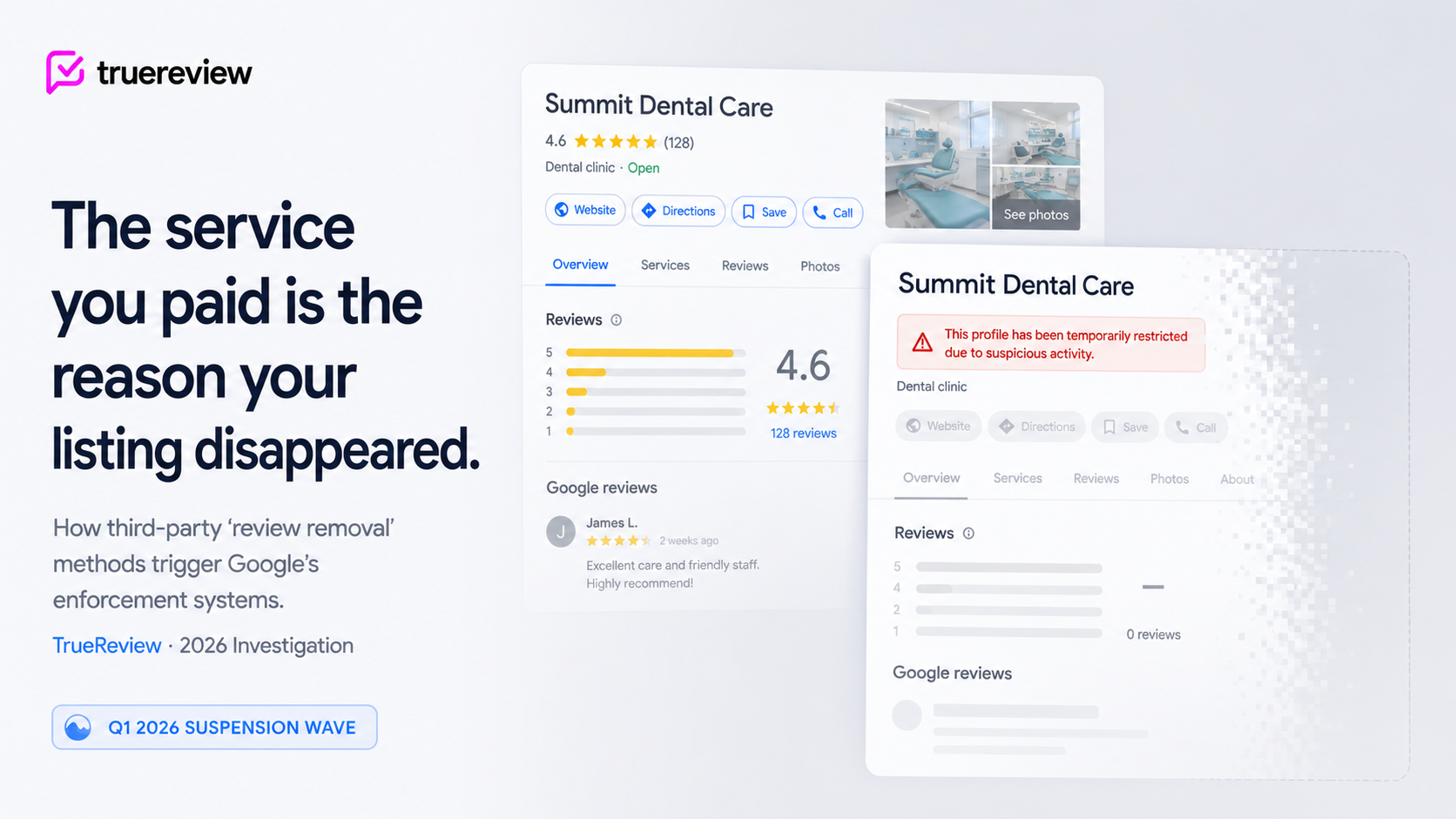
You hired a service to fix a review problem. The reviews are still there, but now something worse has happened: your entire Google Business Profile is suspended. The listing has disappeared from Google Maps. The phone has stopped ringing. New customers searching your business name see nothing, or — even worse — a warning banner explaining that suspicious activity was detected on your profile.
This isn't a hypothetical. The Q1 2026 suspension spike is well-documented across the local SEO community. The April 27, 2026 mass suspension wave hit thousands of legitimate businesses in California with no warning, citing vague "Deceptive Content" violations. A second wave on May 3-4 targeted entire Google Accounts — not just individual profiles. Sterling Sky, Yellowjack Media, and 20 Minute Marketing have all tracked the pattern: Google's automated enforcement has intensified, and businesses using certain third-party removal services have been disproportionately caught in the sweeps.
The connection most affected business owners don't see at first: the service they paid to clean up their profile is often the reason the profile got flagged in the first place. This post walks through the three specific ways "review removal" services can trigger Google's enforcement systems — browser automation, fake DMCA filings, and coordinated mass-reporting — and what to look for before you hire any of them. One high-risk tactic to avoid is the fake dmca loophole, which can trigger a suspension.
When a business owner hires a removal service, the implicit contract is straightforward: you pay, they get the bad reviews removed, your listing improves. The marketing emphasizes upside. The contract emphasizes "no win, no fee." Nothing in either communicates that the methods the service uses to remove reviews can independently trigger enforcement against your Business Profile.
Here's the structural reality: Google's enforcement actions target the account where the activity occurs, not the third party operating on behalf of that account. When a service runs browser automation through your Google login, files a takedown notice in your business's name, or coordinates mass-reporting from accounts associated with your profile, the activity registers as yours. The service is invisible to Google's detection systems. The Business Profile getting flagged is yours.
This isn't a loophole the services are exploiting — it's how Google's enforcement has to work, given the sheer volume of third-party tools and agencies operating across millions of business profiles. Google's automated systems can't distinguish between "the business owner did something prohibited" and "someone the business owner paid to do something prohibited did it." Both register the same way. The consequences land the same way.
What's changed in 2026 is the aggressiveness of the enforcement. Q1 saw a sharp spike. The April 27 wave caught thousands of profiles. The May wave escalated to account-level suspensions affecting every property tied to a Google account, not just the flagged profile. For businesses with multi-location operations, this can mean the entire portfolio goes dark simultaneously.
These aren't theoretical guidelines. They're the rules Google's automated systems enforce against — and the systems have gotten significantly more aggressive through 2026.
There's no legitimate way for a third-party service to submit review reports on your behalf programmatically. The Reviews Management Tool requires manual sign-in. The reporting flow doesn't have a public API. Any service claiming to "automatically submit" reports is doing so through methods that — when detected — flag the profile the activity originated from. That profile is yours, not theirs.
We covered the technical mechanisms behind "automated submission" claims in our analysis of AI review removal services. What this post addresses is the consequence side: what specifically happens when those mechanisms get detected.
If you're considering paying for review removal help, three diagnostic questions before you sign anything.
For the broader picture of how the removal industry positions itself and the warning patterns to watch for, our analysis of the no-win-no-fee model walks through the commercial structure, and our review of automated AI removal claims covers the technical impossibilities.

Review Radar — included in TrueReview's Small Business and Premium plans — was built around this risk. It never logs into Google for you. It never submits reports on your behalf. It never touches your Business Profile. The detection layer — identifying reviews that may violate policy and surfacing the correct reporting category — runs entirely inside TrueReview. The submission step happens on Google, signed in by you, on your own account. Every action that registers with Google is yours, traceable to you, and compliant with the third-party policies above. The trade-off is sixty seconds of your time per submission. The benefit is that no part of Review Radar can ever be the reason your listing gets suspended.
Compliance in this context isn't a marketing virtue — it's a technical specification. A compliant approach to review removal has three structural properties:
Every action that touches Google originates from the business owner. Reports filed through Google's tools, signed in by the actual account holder. Appeals submitted manually. Community forum posts written and submitted by the business owner directly. The third party can provide expertise, drafting help, and recommendations — but the action on Google's platform comes from the person with legitimate authority over the profile.
No automated activity on the Business Profile. No browser automation logging in as you. No background scripts submitting reports. No agency-operated tools accessing your profile through credentials shared during onboarding. Detection of any of these patterns triggers enforcement against the profile.
No legal claims filed in your name that aren't independently verifiable. No DMCA takedowns unless there's a genuine copyright basis you can document. No cease-and-desist letters drafted on your behalf without your direct attorney's involvement. No "legal escalation" claims unless they reflect actual legal action you've authorized in writing.
These three properties define the line between legitimate expertise and methods that put your listing at risk. They're not arbitrary — they're derived directly from Google's third-party policies and from § 512(f) of the DMCA.
The trade-off for compliance is that some work stays manual. You file reports yourself. You sign appeals yourself. You make the final decision on each action. A service can save you research time, drafting time, and tracking overhead. A service cannot legitimately save you the submission step itself — and when one claims to, the consequences land on you, not on them.
If your current service uses methods that don't match these three properties, the suspension risk is real. The 2026 enforcement environment doesn't reward "the service told me it was safe." It only registers what the activity looks like from Google's automated perspective. Which makes the question worth asking before you sign any new agreement — and worth re-asking, hard, about any service you're currently working with.
To see what a compliant tooling approach looks like in practice, start a free trial of Review Radar or visit the Review Radar feature page. For the broader landscape of removal industry patterns and what to watch for, our analysis of the four removal industry patterns is the companion piece to this one.
The reviews that come down are the ones reported correctly through Google's own tools — by you. Anything else is a risk to the listing you were trying to protect. Not sure which provider to pick? Read our full comparison of removal services.





