BLOG POST
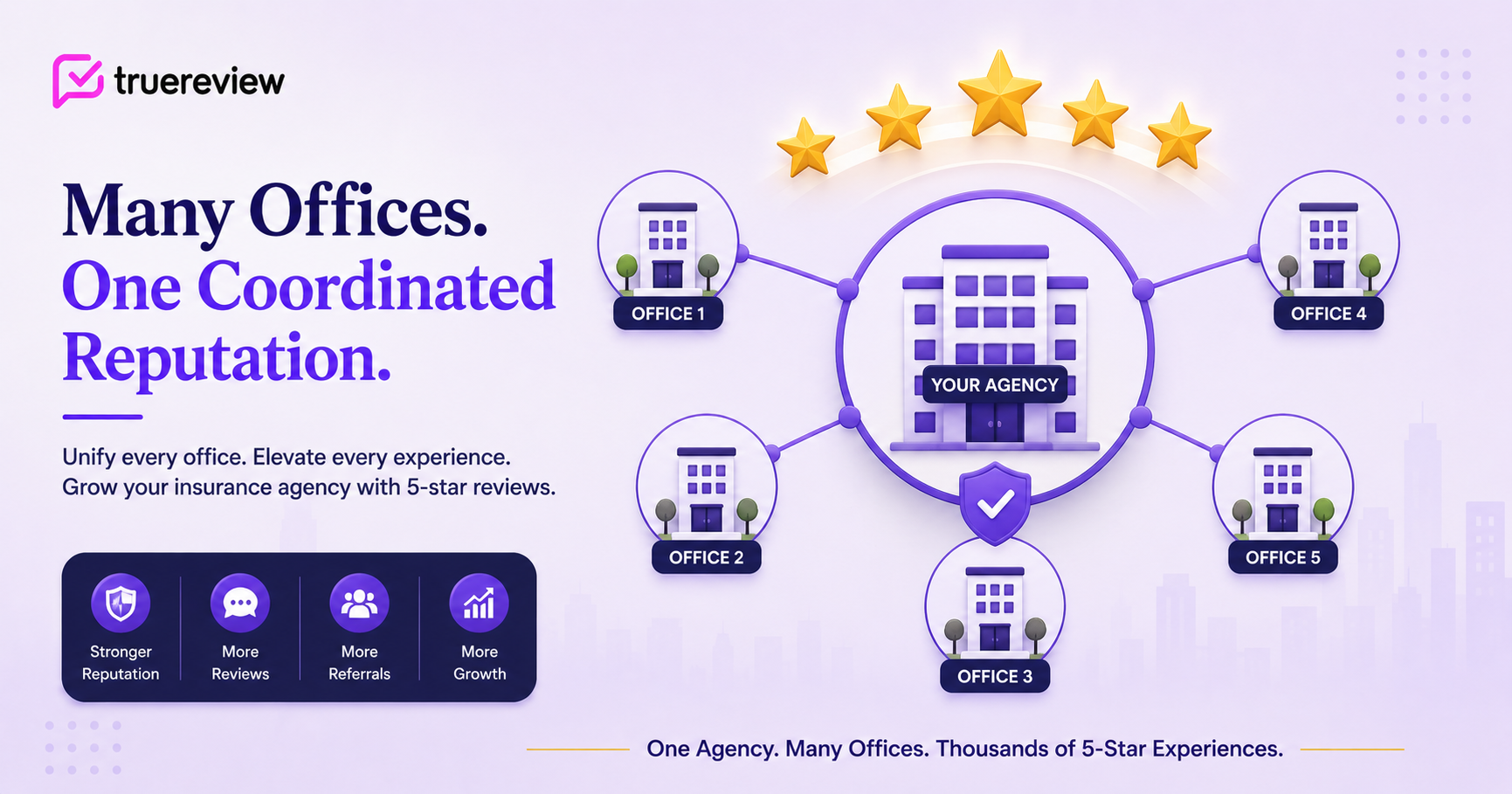
A multi-office insurance agency has one of the most operationally complex review-management challenges in local services. Each office has its own Google Business Profile, its own community presence, its own customer base, and its own staff — but they all operate under a shared brand, often shared compliance frameworks, and (for captive agencies) shared corporate marketing rules. Reviews can land at the office level, at the agency-as-a-whole level, or fragmented across both — and most multi-office agencies haven't built the operational infrastructure to manage this systematically.
The cost of that gap is substantial. Insurance is a relationship-driven, trust-driven category where prospects do extensive research before choosing an agency. They Google "auto insurance agent [city]" or "insurance broker near me" and read reviews carefully. They look at the specific office in their neighborhood and they look at the parent agency's broader reputation. Multi-office agencies that haven't coordinated their review strategy across offices — that have one office with 280 reviews and another with 12 — present an inconsistent reputation that prospects notice. Some offices win their local 3-pack rankings; others lose them. Some agents accumulate strong personal reputations; others stay invisible.
The agencies that have figured this out — that systematically build review depth at every office while maintaining brand consistency across the parent agency — end up with cumulative reputation that compounds across markets. New offices opened in new cities benefit from the parent agency's broader reputation. Existing offices reinforce each other through unified brand quality. Agent recruiting is easier because the agency's reputation precedes the local office.
This guide is the practical playbook for principal agents, agency owners, and operations leaders managing multi-office insurance agencies: how to think about office-level vs. agency-level reviews, how to coordinate review collection across offices without burning out staff, how to handle the captive-vs-independent distinction that shapes everything from advertising rules to brand control, and how to wire the whole thing into the agency management systems that insurance offices typically run.
A note on insurance compliance: Insurance is a regulated industry with state-specific advertising rules, testimonial restrictions, and disclosure requirements that vary meaningfully across states and lines of business. This post focuses on multi-office operational strategy; for the broader compliance framework — what state insurance departments require, how to handle testimonials within NAIC standards, what disclosures may be needed — see our companion post on Google reviews for insurance agents. Run any new review program past your compliance officer or the legal team at your captive carrier (if applicable) before deploying.
Three characteristics of multi-office insurance agencies make review strategy a distinct operational challenge:
Reviews fragment at the office level, not just the agent level. Unlike real estate (where individual agents are the primary review unit) or single-location healthcare (where the practice is the unit), insurance agencies fragment along physical office lines. Each office typically has its own GBP, its own local search presence, and its own community visibility. A prospect in one neighborhood searches "Allstate agent [neighborhood]" and finds the local office; a prospect in another neighborhood doing the same search finds a different office. Coordinated agency-wide review strategy needs to manage this fragmentation while preserving each office's local relevance.
Captive vs. independent operating models change the rules. State Farm, Allstate, Farmers, and American Family captive agencies operate under specific corporate brand and marketing rules from the carrier. Independent agencies (writing for Progressive, Travelers, Liberty Mutual, Safeco, and others) have more flexibility but also more responsibility for brand consistency. Multi-office captive operations need to coordinate not just internally but also with the carrier's corporate marketing team. Multi-office independent operations have more autonomy but bigger brand-coordination challenges across offices.
Trust is the foundational currency, and inconsistency erodes it. Insurance customers care deeply about trust because the product is a promise — the agency will be there when something goes wrong (an auto accident, a house fire, a death in the family). Reviews are how prospects clear the trust threshold. Inconsistent reputation across offices — one office with strong reviews, another with thin or negative reviews — directly undermines the parent agency's trust signal. The math is unforgiving: prospects evaluating an agency consistently weight the worst-reviewed office more heavily than they weight the best-reviewed one.
The combined effect: multi-office insurance agencies that systematically manage reviews across all locations typically capture 3-5x the inbound new-customer inquiries of similarly-sized agencies with unmanaged review programs — and they retain customers better because the agency reputation reinforces customer satisfaction with their specific office.
The first strategic decision: how should review collection coordinate between individual office GBPs and any agency-wide presence?
For most insurance agencies, the answer is primarily office-level with light agency-level coordination, for a few reasons:
Local SEO is the dominant traffic driver. Insurance customers search by neighborhood or city and the local 3-pack drives most inbound traffic. Each office's GBP is what shows up in those local searches. Investing primarily in office-level reviews captures this traffic directly.
Agency-level GBPs are usually for the headquarters office. Most multi-office agencies don't have a separate "agency-wide" GBP — the agency's primary GBP is typically the headquarters or principal office. Other offices are separate GBPs in their own right. So "agency-level reviews" in practice means "headquarters office reviews" rather than a separate corporate profile.
The exception: agency-level brand presence on other platforms. While Google reviews are office-fragmented, the agency may have an agency-wide presence on platforms like the BBB, agency directories, or industry-specific review platforms. These can be coordinated at the agency level even when Google reviews are office-fragmented.
So the practical strategy: invest heavily in each office's GBP independently, with agency-wide standards for templates, response policies, and review collection workflows. The agency provides the infrastructure and oversight; each office runs its review pipeline within that infrastructure.
The operational backbone is the workflow that fires after each customer interaction. Several decisions matter:
Decide who triggers requests. In insurance, the natural trigger event is policy issuance, policy renewal, or claim resolution. Three common approaches:
Decide what office GBP each request routes to. This is the most important configuration decision in multi-office review programs. Each customer's review should land on their primary office's GBP — the office they actually work with — not on a generic agency profile. Configure your review request tool so each office has its own profile-specific review link, and the workflow routes customers based on their assigned office.
Decide on the message tone and personalization level. Office-level templates can reference both the office and the parent agency. The agent or CSR who handled the transaction can be referenced in agent-driven personalized templates. The default should personalize at the level customers expect — first name, agency name, specific office name where natural.
Decide on timing. Insurance has multiple potential review trigger events:
Cap frequency at one request per customer per 12 months. Insurance customers may have multiple touchpoints in a year (auto policy, home policy, life policy, claim, annual review). Asking after every touchpoint creates fatigue. One coordinated annual ask is more effective than multiple uncoordinated ones.
Claims are the most emotionally charged customer touchpoints in insurance and produce the most powerful reviews when handled correctly — but they require careful timing.
A few principles:
Wait for full claim resolution. A review request that fires while a claim is still being processed catches the customer in the middle of their stress. Wait until the claim is closed — payments made, repairs completed, the customer's life is back to normal.
For minor claims (small auto fender bender, minor home damage): Ask 1-2 weeks after closure. The customer's experience is fresh, the resolution is clean, and reviews from these customers tend to highlight responsive service.
For major claims (total loss, significant home damage, serious accidents): Wait 4-6 weeks or longer after closure. The customer needs more time to settle, evaluate the experience, and form a reflective opinion. Reviews from major claims handled well are some of the most powerful reviews in insurance — they speak directly to the trust threshold prospects have ("would this agency actually be there for me when I needed them?"). But premature asks produce reviews shaped by acute stress rather than reflective satisfaction.
For claim denials or disputes: Skip from the request workflow. Even if the denial was correct, the customer's experience is shaped by the denial. Asking for a review compounds the frustration.
For total loss situations: Use extra discretion. Customers who lost a home in a fire or had a vehicle totaled in an accident need significant time before review communications are appropriate.
The general principle: claims are unusually high-leverage review opportunities, but they require thoughtful timing. A claim resolved well, asked at the right moment, produces reviews that close more new customer prospects than dozens of routine policy-issuance reviews.
Multi-office insurance isn't one structure. The right approach varies meaningfully by model.
Captive multi-office agencies (State Farm, Allstate, Farmers, American Family). Operate under specific corporate brand and marketing rules from the parent carrier. Each office GBP must follow corporate standards. Multi-office captive operations need to coordinate with the carrier's corporate marketing team about brand consistency and use of carrier-trademarked terms in reviews and responses. Some carriers provide their own review-collection tools or templates — leverage what's available before adding third-party infrastructure.
Independent multi-office agencies. Write business with multiple carriers (Progressive, Travelers, Liberty Mutual, Safeco, Nationwide, Chubb, others). More autonomy in branding and marketing decisions, but also more responsibility for brand consistency across offices. Often have a strong agency brand identity layered on top of carrier branding.
Agency cluster networks (SIAA, Smart Choice, etc.). Independent agency networks providing technology, training, and carrier access to member agencies. The network typically doesn't dictate review strategy but may provide tools or recommendations. Member agencies operate their own multi-office strategies within the network's broader infrastructure.
Hybrid agencies. Some agencies have a captive primary line (e.g., State Farm) and an independent secondary line for other products. Reviews and brand strategy need to navigate the dual identity carefully.
Acquisition-grown agencies. Multi-office agencies that grew through acquiring other agencies. Each acquired office often has its own pre-existing GBP, brand identity, and customer base. The post-acquisition challenge is whether to consolidate to a single brand or maintain the acquired brand locally — and review strategy needs to reflect that decision.
Perpetuation-driven agencies. Family-owned or partnership-structured agencies planning generational transition. Reviews accumulated over the generation become part of the perpetuation value — investing in review depth strengthens the asset that will be transferred or sold.
P&C-focused vs. life-and-health-focused agencies. P&C (property and casualty) agencies have more transactional touchpoints (policy issuance, renewal, claims) generating more review opportunities. Life and health agencies have longer relationship arcs with fewer transactional moments — review timing skews toward annual review meetings and policy-issuance moments.
The standard rules apply: short, personal, with a direct review link, no specific policy or claim details in the message itself.
Post-policy issuance (5-7 days after):
Hi {First Name}, thanks for choosing {Office Name / Agency Name} for your insurance. If you have a moment, a Google review would mean a lot: {Review Link}
Post-renewal:
Hi {First Name}, thanks for staying with {Office Name} for another year! If you have a few minutes, a Google review would help: {Review Link}
Post-annual review meeting:
Hi {First Name}, thanks for taking the time to review your coverage with us. If you have a moment, a Google review of {Office Name} would be appreciated: {Review Link}
Post-claim resolution (calibrated to claim severity):
Hi {First Name}, hope everything is back to normal. If you have a few minutes, a Google review of {Office Name} would mean a lot — your story might help someone else find an agency they can trust when something goes wrong: {Review Link}
The reminder (5-7 days after the first request):
Hi {First Name}, just a quick reminder — if you have a minute, we'd really appreciate a Google review for {Office Name}: {Review Link}. Thanks again!
Subject line options:
Email body (post-policy issuance or annual review):
Hi {First Name},
Thanks again for choosing {Office Name} for your insurance needs. We hope your experience working with us has been positive.
If you have a few minutes, would you mind leaving us a Google review? Honest feedback from clients like you helps other people in {City} find an agency they can trust — and that means a lot to a local agency that depends on community relationships.
[Leave a Google Review →]
Thanks so much,{Agent Name / Office Name}
A compliance note: keep messages generic about specific policy details. Don't reference specific policy types, premiums, claim amounts, or coverage details in the message itself. The customer can write whatever they want about their own experience; you can't reference policy specifics in your message to them. State insurance department rules in many states explicitly prohibit certain advertising content tied to specific policies.
Multi-office insurance agencies have an unusual operational challenge: every office is a separate review-collection touchpoint, and every CSR or service representative is part of that touchpoint. The agency can build excellent infrastructure and provide perfect templates, but if individual office staff don't actually use the system, it doesn't matter.
The agencies that consistently build review depth across offices do a few things differently:
Standardize the verbal-ask script across all offices. Every CSR, service rep, and producer should be trained on the same brief script at customer touchpoints. The brand voice should be consistent across offices even when individual personalities vary.
Make per-office review velocity visible. Top-performing multi-office agencies often display per-office review counts on internal dashboards. Office managers can see how their location compares to others. This isn't about creating internal competition for its own sake — it's about making the metric visible enough that office leaders internalize the importance.
Review reviews at agency-wide meetings. Some agencies dedicate a few minutes of monthly all-hands meetings to reviewing the previous month's reviews across all offices — celebrating standout positive reviews from any office, discussing how to respond to negative ones, identifying patterns that suggest operational issues at specific locations. This creates accountability and elevates review collection from a back-office task to a visible operational discipline.
Make office-specific review links easy for staff to access. A common operational failure: staff don't know the office-specific review link, so they can't ask customers verbally and follow up with the right link. Each office should have its review link accessible in their email signatures, in the CRM, on a small card at the front desk, and trained into staff onboarding.
A standard verbal-mention script that office staff should use at customer touchpoints:
"All set with your policy. Hey, before you go — quick favor. Word of mouth and Google reviews are honestly how our office stays competitive with the bigger agencies. If you've been happy with the service, we'd really appreciate a quick Google review — I can text you the link right now so it's easy."
The text-the-link-right-now mechanic is particularly important in multi-office insurance because each office has a different review link. Staff who know how to send the right link from the right office consistently outperform staff who tell customers to "search for us."
Most multi-office insurance agencies use one of a few agency management systems (AMS): Applied Epic, Vertafore AMS360, EZLynx, HawkSoft, NowCerts, or Indio. Some captive agencies use carrier-provided systems (like State Farm's MyState Farm or Allstate's NextGen). Larger agencies sometimes layer modern CRMs (Salesforce Financial Services Cloud, AgencyZoom, or specialized insurance CRMs) on top of their AMS.
Setup patterns:
Direct integrations where available. A few insurance AMS platforms have direct integrations with review request tools. Worth asking your AMS vendor what's supported.
Zapier connection. Most modern insurance AMS and CRM platforms expose webhooks or have Zapier integration. When a transaction is completed (policy bound, renewal processed, claim closed) in the AMS, Zapier passes the customer's contact info plus office assignment to your review request tool, which routes the request to the appropriate office's GBP and sends after the configured delay. TrueReview connects via Zapier to most insurance AMS systems.
Direct API integration. For larger multi-office agencies with technical resources, direct API integration provides flexibility for office-specific routing logic and complex filtering rules.
For captive carrier-provided systems. Captive agency systems (State Farm, Allstate, etc.) sometimes have constraints on third-party integrations. Work within the carrier's approved tools or use Zapier as a bridge where allowed.
CSV import. For smaller multi-office agencies on older systems, weekly batch uploads work as a fallback.
The trigger that matters: pick the operational signal that means the customer has just completed a meaningful transaction with their office. Policy bind, renewal processed, annual review completed, claim closed — these are all valid triggers. The configuration discipline is making sure each customer's review request routes to their office, not to a generic agency profile.
For multi-office agencies running TrueReview's Manage Multiple Businesses feature, each office has its own profile within the platform with its own templates, review link, response policy, and dashboard. The principal agent or operations lead can monitor across all offices from a unified view while each office operates its own pipeline.
Multi-office insurance agencies need different embedding strategies than single-office operations. The agency website typically has multiple stakeholders with different review-display needs:
Agency homepage. Display a curated set of reviews showcasing the broader agency reputation. This can pull from multiple offices to show breadth.
Office-specific landing pages. Each office should have its own landing page on the agency website, embedded with that office's specific reviews. Prospects researching a specific neighborhood land on the office page and see relevant local reviews.
Producer or agent pages (where applicable). Some agencies maintain individual agent profile pages within the agency website. Reviews mentioning specific agents can be displayed on those pages.
A few specifics for effective embedding:
Filter by office location when possible. A prospect in Brooklyn researching the agency should see reviews from the Brooklyn office, not from the Manhattan office. If your widget supports location filtering, use it.
Display reviews mentioning specific office staff by name. Reviews that say "Maria at the Riverside office was incredibly helpful" are unusually credible and useful.
Date-stamp reviews visibly. Recent reviews carry weight in both Google's local ranking algorithm and prospect conversion.
Surface response activity. Embedded review widgets that include your responses demonstrate engagement and signal an attentive agency.
Show consistency across offices. When the agency website shows reviews from multiple offices on a single page, the breadth of consistent quality is itself a powerful trust signal.
TrueReview's review widget supports filtering, source attribution, date display, response visibility, and per-location organization, which makes the multi-office embed setup straightforward.
Multi-office agencies have a more complex negative review challenge than single-office operations: a negative review against a specific office is also implicitly a negative review against the parent agency. Response strategy needs to account for both levels.
A few principles:
Don't disclose customer or claim details publicly. Insurance interactions involve sensitive financial information, claim specifics, and personal customer circumstances. Public response that confirms or references specific customers, policies, or claims creates privacy and potentially regulatory issues under state insurance department rules.
Don't argue claim decisions publicly. Carriers — not agencies — make most claim decisions. Public response that defends a denial or coverage decision creates legal exposure and looks defensive. The carrier-vs-agency dynamic should be handled offline.
Don't blame the carrier publicly. Even when a carrier's decision drove the customer's frustration, public response that says "actually, the carrier denied your claim" reads as the agency deflecting and potentially creates issues with the carrier relationship.
Don't publicly criticize specific office staff. Even when a negative review reflects a specific staff member who genuinely underperformed, a public response that admits staff shortcomings creates HR and potentially employment-law exposure.
Reference the agency's customer service standards and grievance process. Multi-office agencies with formal complaint resolution processes should reference these in negative review responses.
Move it offline. Provide the office number or — for sensitive cases — the agency's complaint resolution contact. The explicit invitation to call signals seriousness and accountability.
Coordinate response approach across offices. All offices in the agency should follow the same response policy. Inconsistency across offices' negative review responses is itself a reputation issue that prospects notice.
A safe response template for office-level negative insurance reviews:
Thank you for sharing your feedback, {Name}. We take all client concerns seriously and have established complaint resolution procedures. Please contact our office at {phone number} so we can address your specific situation directly.
For more complex situations (claim disputes, coverage disagreements):
Thank you for sharing your feedback. We're committed to working with our clients on any concerns about coverage or service. Please contact our office at {phone number} so we can review your specific situation in an appropriate setting.
For positive reviews, keep responses warm:
Thanks so much, {Name}! It was a pleasure helping you with your insurance needs. We appreciate you taking the time to leave a review.
A few practices that show up in multi-office insurance review marketing but should be avoided:
Asking customers about claim outcomes that went against them. Even when the carrier's decision was correct, the customer's experience is shaped by the denial.
Coaching customers on what to write. "If you could mention how quickly we processed your claim..." crosses into review manipulation that violates Google policies and may violate state insurance department advertising rules.
Cross-pollinating customer contact info between offices for review purposes. Each customer relationship belongs to their assigned office. Routing a customer's review request to a different office's GBP because that office "needs more reviews" violates customer trust and creates compliance concerns.
Tying staff compensation directly to received star ratings. Compensation tied to asking is fine; compensation tied to receiving 5-star ratings specifically incentivizes review manipulation.
Asking customers in the middle of active claim disputes. Wait until the dispute is resolved.
Asking customers who recently shopped competing carriers. A customer in the middle of comparing carriers isn't in the right frame of mind for a review of your current service.
Posting fake or manufactured reviews from staff or family members. Insurance is heavily monitored by Google for review fraud, state insurance departments don't react well to fraudulent advertising, and several state attorneys general have prosecuted insurance review fraud specifically.
Letting offices go unchecked on review behavior. The principal agent and agency leadership are responsible for the agency's overall review profile. Offices that solicit reviews inappropriately, post fake reviews, or coach customers on what to write create liability for the entire agency.
Letting one bad review go unanswered at any office. Especially in insurance, where prospects scrutinize agency reputation carefully before committing to coverage, an unanswered negative review reads as either avoidance or absence.
A multi-office insurance agency running a well-built Google review program has all of these in place:
Agencies that get all of this right typically dominate the local 3-pack on Google for "insurance agent [city]," "auto insurance [neighborhood]," and similar searches across all their offices within 12-18 months. The compounding effect on inbound new-customer inquiries shows up in months 4-6 and continues to grow — and the consistent quality across offices specifically helps with the brand reputation that supports new-office expansion and acquisition strategies.
Agencies that don't get it right tend to have inconsistent reputations across offices — some offices strong, others weak — that prospects notice and that erodes the parent agency's brand premium.
Ready to build a multi-office Google review strategy at your insurance agency? Start your free 14-day trial of TrueReview — multi-office review collection workflows with per-location attribution, the Manage Multiple Businesses feature for coordinated office-level review management, integrations with most insurance AMS systems via Zapier or direct API, unified multi-office dashboards for principal agents and operations leaders, embeddable review widgets that organize reviews at the office and agency levels, and BAA-equivalent privacy protections for the customer data that flows through the platform. No setup fees, no contracts.





